
4 Ways to Streamline Your Field Service Team

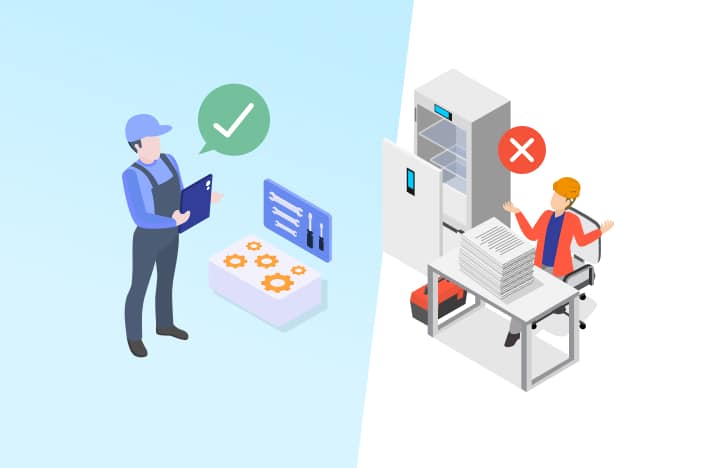
Equipment manufacturers need a strong field service team. Field service technicians are a direct extension of your brand, and they’re who your customers will mostly interact with. This is why how you manage your field service team matters so much. From repairs and preventative maintenance to installations and audits, the way your field service team operates can set you far apart from your competitors and keep customers happy and loyal. So, what does this look like in practical terms? Let’s take a look.

1. Optimise Scheduling and Dispatching

Better field operations start with better scheduling processes. For example, if you’re a manufacturer that services commercial equipment, putting the right technician on the job at the right time can mean the difference between a first-time fix and recurring, expensive visits. Adopting a scheduling tool is a fantastic way to optimise this process. There are tools available which can match technician skill sets to specific jobs, prioritise urgent jobs, and cut travel times by optimising van routes. Features like automated scheduling and real-time tracking mean your team can respond to jobs quicker, there’ll be less costly downtime for customers, and ultimately, you can attend more jobs in less time.

2. Real-Time Communication

Your field service technicians need to be able to access accurate, up to date information on the job. One way to do this is with a mobile app, where they can look up job details, schematics and manuals, relevant service history, and customer information–all from their device, from wherever they are. This level of communication means your technicians always have all the information they need at hand, and fewer details will slip through the cracks. With live updates, any last minute changes or urgent information is communicated immediately–meaning delays are reduced and it’s more likely that a job can be resolved on the first visit.

3. Preventative and Predictive Maintenance

As a manufacturer, no one knows your equipment as well as you do. This unique advantage makes preventative and predictive maintenance especially valuable. Using tools like IoT-enabled asset monitoring and accessing historical performance data, you can effectively schedule proactive maintenance for your equipment–long before any issues arise. Not only will this approach cut down on downtime for your customer, but it has the added benefit of positioning your brand as a proactive partner. Preventative maintenance like this will also improve the longevity of your assets, reduce warranty claims, and give you a reputation for reliability.

4. Utilise Data Collection and Analytics

Your data is one of the most valuable assets your company possesses. All the data collected during service visits provides powerful insights into the way your equipment and your team runs. Asset management software is capable of tracking every detail, like technician activity, part usage, and service duration in one centralised place. With this information in hand, manufacturers can make better, more informed decisions when it comes to technician training, improvements to products, and even the services you offer. This data will also help you forecast and plan more accurately, improving ROI and the performance of your team.

To Wrap Up

The way equipment manufacturers manage a field service team could have far-reaching implications for the entire business. It’s more than equipment maintenance–it’s a strategic asset you may not be taking full advantage of yet. By investing in digital tools and automations like smarter scheduling, a mobile app, proactive maintenance, and utilising your data, you can ensure your team is a shining representation of your brand, make your operations more efficient, and end up with happier customers.

The 3 R’s for Catering Equipment

Coined by FoodService Equipment Consultant Cathy Goodwin, the three ‘R’ Rules for hospitality equipment can be applied across all kitchen equipment in the hospitality industry and act as shorthand guide for making important decisions to keep your business running smoothly and profitably.

Reminder, Routine, Reward

Good planning always costs less than good reacting.” – Wayne Schmidt Commercial kitchen equipment works hard, which means it gets very dirty, very fast. Setting a regular in-house cleaning and maintenance schedule alongside reminders for intermittent deep cleaning and professional maintenance is a must for keeping your kitchen running smoothly and reducing the likelihood of downtime. The first set of ‘R’ rules exists to help maintain the health of current equipment. These ‘R’s help you create and follow through on good habits, like:

Reminders

In a busy kitchen, it can be all too easy for deep cleans and maintenance jobs to slip your mind. But your expensive kitchen equipment will last longer, use less energy, and be less likely to break down if maintained correctly. Setting reminders will help keep your team accountable and your equipment working properly.

Routines

Keeping a schedule of who is responsible and when each task is due, along with a log of all maintenance performed, gives you all the supporting data you need for an audit, warranty, or insurance claim. It also gives you full visibility over the cost of life of each piece of equipment, something that can be simplified even further with a dedicated asset management system.

Rewards

By implementing the first two ‘R’ habits, you’ll get to reap the rewards of a clean, smoothly running kitchen with a drastically reduced chance of any problems occurring.

Repair, Refurbish, Replace

As kitchen equipment gets older, with every operational issue you’ll face the decision of whether to repair, refurbish, or replace it. Considering the high cost of quality commercial catering equipment against the cost of potential future downtime means it’s imperative to get this right. Here are the questions to be asking yourself:

  • What is the warranty on the repair?
  • Is the repairer manufacturer authorised?
  • Are genuine parts being used?
  • What is the cost of disconnection and disposal of the old and the delivery and installation of the new?
  • Will the item fit through the doorways or was it installed before other fixtures?
  • Are you able to replace like for like?
  • Is there joinery or stainless steel bench work that will need to be modified to install the replacement?
  • Is there a more effective or efficient replacement?
  • Is there a current government incentive to upgrade to a more energy efficient option?

While upfront, it may look cheaper to replace entirely, when you take all these extra potential costs into account, that may not be the case.

Respect, Responsibility, Results

The final three ‘R’ rules focus on your overall business, and when applied alongside the first two sets of ‘R’ rules, will help ensure you have a thriving kitchen that’s never short of customers.

Respect

Every stakeholder in your business should be treated with utmost respect. After all, without them you don’t have a business! This includes customers, suppliers, staff, contractors, landlords, cleaners, car park attendants, tradesmen, delivery people, equipment repairers – anyone connected to your business.

Responsibility

There is a great deal of responsibility that comes along with running a business, and how you own this will affect your success. Provide a welcoming, comfortable and safe environment for everyone who may enter your premises. Teach and mentor your staff, show them how to use the equipment, how to look after it, clean it and maintain it properly, and how to troubleshoot if something goes wrong.

Results

The result of being respectful and owning your responsibility will be sustainable, efficient equipment that contributes to a profitable and long term thriving hospitality business where people want to visit. When followed altogether, these nine ‘R’ rules serve as a guide to ensure your commercial kitchen, your equipment, and your entire business continue to operate as efficiently as possible. By putting good habits and routines into place, considering every variable when deciding whether to repair or replace, and treating your stakeholders well, you can set your business up for long-term success.

How To Reduce Lifecycle Costs in the Hospitality Industry

Running a business in the hospitality industry comes with a lot of costs. The cost of running kitchen equipment. The cost to keep the lights on. Wages. Marketing. Emergency repairs. It all adds up. Often, your equipment can be one of the biggest expenses, especially if it breaks down. However, this doesn’t have to be the case. By implementing a few crucial changes, it is possible to to reduce overall lifecycle costs of your equipment and see long-term savings.

1. Implementing preventative maintenance strategies

When your equipment unexpectedly breaks down, it’s not just the cost of repair that you’re hit with. It’s also the expensive downtime you experience as operations are brought to a halt. These combined costs far outweigh the price of preventative maintenance. In practice, this is as simple as scheduling regular equipment servicing to catch any issues long before they become critical. Pair this with a consistent maintenance schedule, and you can not only extend the life of your equipment, but you’re cutting the costs of emergency repairs and lost revenue from downtime.

2. Optimising energy efficiency and resource utilisation

Energy and water bills make up a significant portion of operational costs, which is unfortunately pretty unavoidable as you can’t do business without these utilities. But there are ways to reduce these costs in the long-run. Energy-efficient equipment is a great place to start-think LED lighting, ENERGY STAR-rated appliances, solar power, or high-efficiency HVAC systems. On top of this, starting to monitor and analyse your water and energy consumption can help you spot where the most is being consumed-so you know where to focus your efforts. Even small changes like motion sensing lights can mean substantial savings over a longer period of time.

3. Leveraging asset management software for cost control

A lot of businesses aren’t aware of this, but modern asset management software is designed to help you monitor, track, and optimise the performance of your assets in real-time. All of your asset data is stored in one place, allowing you to make more informed decisions when it comes to deciding whether to repair or replace-which could save your bottom-line in a big way. With a detailed performance history and predictive analytics on hand, this software takes the guesswork out of equipment management, helps you avoid unnecessary spending, and allows you to budget better. The result? More efficient, cost-effective operations throughout the lifecycle of your asset.

To wrap up

Reducing the lifecycle costs of your hospitality equipment is entirely possible-you just need to think proactively and utilise the right tools. By scheduling regular preventative maintenance, being smart about managing your energy and water usage, and investing in a comprehensive asset management solution, you’ll see lower long-term expenses, more efficient operations, and your equipment will last a lot longer.

10 Commercial Kitchen Equipment Shutdown Tips

Sometimes shutting down your commercial kitchen equipment is inevitable. You might need to temporarily shut your entire kitchen for a short time, or deactivate a piece of equipment for maintenance, replacement, or reselling. Whatever the reason, we want to shut down equipment properly, and with the ability to get it back up and running again in no time. FoodService Equipment Consultant Cathy Goodwin, has a few tips on where to focus your efforts based on what equipment you have.

Ice Machine

Ice machines need to be disconnected, descaled, and sanitised. Run descale cycle, disconnect from power and water. Clean the drain hose and condenser, empty the bin and trough and make sure to clean in and around the back, sides, and base, checking that there’s no water still in the machine or hose lines. Once all the cleaning is done, cover your machine with a dust-proof cloth and wrap it in plastic to protect it if it’s going to be out of use for a little while.

Refrigeration

Empty your refrigeration units of all products, then switch off the power, strip down and clean all the shelves, as well as: cavities, condenser, drain hose, evaporator coil, evaporator pan, door seals, hinges, castors, back, sides and under. Using a spacer to hold the door/s open while you’re gone will allow air to circulate while in storage. Again, cover the unit with a dust- proof cloth or wrap it in plastic. The power lead should be cable-tied.

Cookline

Strip the cookline as best as you can, cleaning all surfaces and removing any solids and grease spills. If the equipment is connected to a water supply, shut it down and clean any drain lines, allowing it all to dry thoroughly. If you’re unsure about any of this, call in a professional. Make sure all gas is switched off and that all external and internal surfaces including top, sides, rear and underside are all cleaned. Finish off by covering everything with a dust-proof cloth or plastic wrap.

Countertop Appliances

Make sure all countertop appliances are disconnected from power and cleaned thoroughly. Any cast-iron plates should be oiled to avoid rust. Cover each appliance with a dust-proof cloth or wrap in plastic, and all power leads should be cable-tied.

Dishwashers

With your dishwashers, fully empty/drain the wash and rinse tanks, then disconnect the machine from chemical, water, and power supplies. Clean the wash and rinse arms, empty and clean the baskets/strainers, and clean all surfaces inside and outside the machine before drying thoroughly. Any chemicals should be capped off, the door left open, and the machine needs to be covered with a dust-proof cloth or plastic wrap.

Exhaust Hood

Clean the canopy/hood, light fittings, troughs, and drains before removing and cleaning all the filters. The duct and fans also need a thorough cleaning, but it’s recommended to consider bringing in a professional to do this if you’re shutting down for a while.

Drains

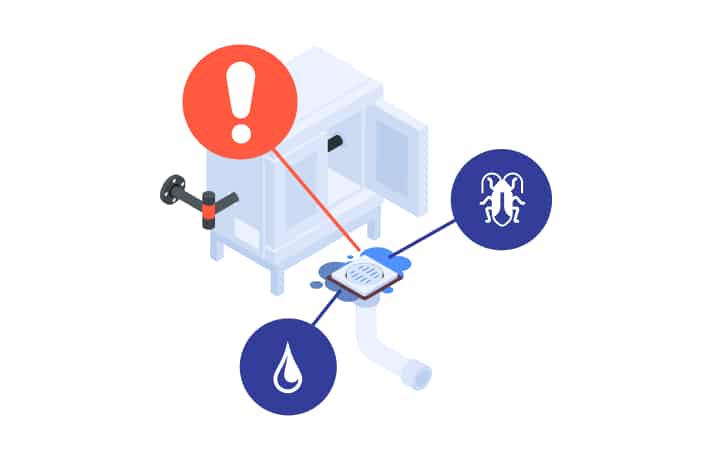
If not flushed with water regularly, your drains can cause horrible odours and allow access for insects and vermin to get into your kitchen. Cathy’s recommendation is to install Green Drains Trap Seals to avoid potential problems, which allow water and debris to pass through while preventing pests, pathogens, and noxious fumes from entering the kitchen.

Pest Control

Controlling access for pests via your drains is one step, but you also need to check that all baits and other pest control treatments are kept up to date, even if your kitchen is closed. If you’re unsure on how best to prepare your kitchen for a temporary shutdown in terms of pest control, it’s always best to give your local pest control company a call.

Security

It goes without saying that in the event of a temporary shutdown, all valuables should be removed from the premises. This includes, liquor, computers, monitors, cash kept on-site, etc. Make sure you’ve checked that all locks are working properly on all doors and access points. Your security company should also be made aware of the shutdown, in case any alarms are triggered while you’re not there.

Wear your PPE

As you go about cleaning and shutting down your kitchen, appropriate personal protective equipment (PPE) should be worn at all times. This is any protective clothing, helmets, goggles, shoes, or other garments or equipment designed to protect the wearer’s body from injury or infection. By following these tips, you’re going to be able to hit the ground running once you’re ready. It’s infinitely easier to start back up with a clean property and operational equipment – it also saves you money you’d have to spend on equipment repairs, replacing equipment, professional cleaning, and potential downtime. Want an easier way to manage your equipment once you’re back in business? Get in touch to find out how mendrhub’s comprehensive asset management software can help.

How To Maximise Customer Loyalty Through After-Sales Service

While yes, attracting new customers is important – what about the ones you already have? Depending on your industry, acquiring a new customer can cost five to seven times more than retaining a current one. It makes sense then, to put more effort into nurturing current customers and building loyalty. One of the most effective ways to do this is with outstanding after-sales service. These are a few ways you can take your after-sales service to the next level and keep customers loyal for longer.

1. Provide proactive support

Support shouldn’t be saved only for when there’s a problem. Proactive support tells customers that they’re not just another sale to you – they matter and you care about their experience. Proactive support could look like:

  • Following up with customers after their purchase to check in
  • Offering easily accessible resources like troubleshooting guides or FAQs relevant to their purchase
  • Automated reminders for service check-ups or maintenance

All these seemingly simple touchpoints are an easy way to build loyalty and will pay off in the long run when customers keep coming back.

2. Offer personalised service

Customers don’t want to feel like they’re just another number – it’s a personal, human connection that makes people feel valued and ensures they think twice about purchasing from your competition instead. Data is often underutilised when it comes to personalised service, but it’s a powerful way to keep customers coming back. From our experience, using customer data to tailor service recommendations that feel personal and relevant to them is a simple, effective way to show a customer that they’re valued. Another way to personalise service is to ensure that customers can contact you in a way that works best for them. Not everyone is comfortable with phone calls, while some people prefer them! Having options is another easy way to show your consideration, whether it be email, phone, or text.

3. Seamless warranty and repairs

Sorting out warranties and repairs should be a simple process for your customers, and there are ways to ensure it goes smoothly every time. Warranty claim processes can be simplified with digital registrations and QR codes – offering an easy way to register their new product and make warranty claims from their phone. You could also offer quick turnaround times on replacements and repairs, and provide transparent pricing and status updates on their service requests. Transparency is key for building trust, so having costs and updates easily accessible means your customer is never left wondering what’s going on or shocked by hidden costs.

4. Utilise customer feedback

One of your most valuable resources when it comes to keeping your customers is their feedback. Regular surveys with small incentives like discounts will provide you with regular feedback on your after-sales service so you know where to improve. If there are issues that are popping up regularly, take the feedback on board and look at how to improve your service processes accordingly. Customers will notice when you make changes based on their feedback, and it will improve the entire experience for them. Alternatively, if customers are taking the time to leave you feedback and it’s never addressed or acknowledged, you risk alienating and losing them.

5. Leverage technology

Luckily, in this day and age there are a lot of great technological options available to streamline your after-sales service even further. Probably the most effective tool is a comprehensive asset management system capable of efficiently tracking assets and scheduling proactive maintenance. Some asset management software will also come with valuable tools like data analytics, warranty management, and inventory management. This type of software helps speed up your operations and improve the overall experience for customers. A win-win. Other technologies worth investigating include AI chatbots, which can provide instant support to customers around the clock, and mobile apps. Apps offer a way for customers to book service requests and track the progress of their requests from their phone – meaning fewer lengthy phone calls with support trying to figure out the issue or get an update. All in all, after-sales service is a powerful tool for creating loyal customers and keeping them long-term. Whether you’re providing proactive support, actioning customer feedback, or utilising technology to improve your customer service, by putting effort into improving this experience for customers, you’re only improving your business and ultimately, your bottom-line. After all, happy customers typically means more sales for you! If after-sales service is an area your business hasn’t invested much into just yet, now is the time to start.

How To Choose The Best Software To Manage Your In-House Technicians

Can I Use Asset Management Software to Manage My In-House Technicians_

Any business which uses in-house service agents to keep equipment running smoothly needs an effective, simple way to manage their team – which is where dedicated digital solutions come in. You might assume that only field service software would support this business function, however certain other platforms including ERP systems and asset management platforms, like mendrhub, offer comprehensive solutions as well. With the ability to track customer equipment in detail, asset management solutions with in-house field service support offer a unique option for manufacturers in particular. If your business relies on a combination of in-house and contracted field service it is essential to ensure the platform you adopt supports this dual model as well. 

Beyond this, there are four key points to keep in mind when looking for a software solution to meet your in-house team’s needs.


It should simplify scheduling

Managing a team of in-house technicians means constant coordination and communication, especially when it comes to prioritising tasks in the field. The software you choose should make this simpler by providing a drag-and-drop scheduler that allows you to allocate jobs based on your technicians’ availability, job priority, and client. Having the flexibility to customise visual queues for job cards in the scheduler can be a huge help to your scheduling team, letting them quickly identify what jobs to prioritise and who to schedule them with.  

As priorities shift throughout the day, you can allocate tasks to team members, track the statuses of jobs in real time, and reschedule jobs as needed. Your software of choice should give you total flexibility in managing your team so that all tasks get immediately addressed, no job gets missed, and you gain more transparency over the entire workload.


It should centralise equipment and maintenance records

With your team working across different locations, keeping meticulous records is essential to ensuring nothing slips through the cracks. Asset management software can help keep track of client’s equipment information, service history, model tech specs and exploded-view diagrams in one central spot. It can also make this data remotely available to your team, if like mendrhub, the solution supports a dedicated field service app. By centralising all this information, your team doesn’t have to waste time sifting through physical paperwork or digging through countless files to find what they need. 

Managing all these records in one spot also drastically cuts down on the likelihood of human error and inconsistencies, as your technicians can record everything on their phones while on-site. Once inputted, your extended team will have instant access to that up-to-date information. Centralising records like this is really a no-brainer – it saves time, cuts down on errors, and increases transparency.


It should offer visibility over your technicians’ performance

This software doesn’t just track equipment history – it also tracks metrics like how long a technician spent at a job, how the equipment has performed post-service, task completion rates, and more. Knowing things like this is crucial for identifying areas in your business that need improvement, like additional training, or optimising routes so technicians can spend more time on jobs and less time driving. Performance analytics help to hold your team accountable and ensure your high maintenance standards are being met consistently. 

It’s this kind of data-driven approach that will set your business apart from the competition and make sure you’re providing next-level service.


It should help you manage your parts inventory

Another vital part of managing your in-house technicians is parts inventory. You have to know what parts you have, where they are, and what needs to be ordered. Asset management software like mendrhub allows you to monitor van stock and your warehouse inventory, set reorder points, and skyrocket your first-time-fix rates. 

This software ensures you always have critical parts available and on-hand for technicians, with automations in place to alert you when items are low in stock. Overall, proper inventory management lends itself to smoother business operations and a better customer experience.

As you can tell, software to manage your in-house service team effectively goes far beyond just field service. With a powerful platform that also lets you track client equipment, manage inventory and provide powerful business insights, you can benefit yourself, your business, your staff, and your customers. 

How Does Asset & Facility Management Software Improve ROI For Multi-Sites?

January- How Does Asset & Facility Management Software Improve ROI For Multi-Sites

Return on Investment (ROI) is a key consideration when multi-site facility managers look to invest in new technology. Asset and facility management platforms like mendrhub bring about significant business benefits – some tangible, and others harder to quantify – but ROI remains a key driver. Based on firsthand experience working alongside our clients, here are three ways asset management software can help you not just meet your ROI targets, but exceed them.


Minimise downtime and maintenance costs

When equipment goes down unexpectedly, the resulting downtime can get costly. Emergency repairs aren’t cheap, and neither is the lost productivity. Asset management software is designed to mitigate the risk of downtime by enabling predictive and preventative maintenance. It does this by allowing users to proactively schedule regular maintenance on critical equipment, auto-dispatching jobs to the right technicians and creating custom checklists so the health of all equipment is optimised. 

Being proactive can save your bottom line from expensive repair costs, but it will also extend the uptime and overall lifespan of your equipment––keeping your customers happy for longer. This kind of transparency over the health of your assets ultimately means less downtime and seamless operations.


Optimise resource allocation

A key goal of an asset management platform is to help improve the efficiency of your processes. By managing all supplier-related facility management activities in one place—like asset history, contractor skills, accreditations, rates and coverage, as well as maintenance scheduling––your management team retains full visibility and control over your supplier network and minimises service and maintenance costs. 

Automations can take this a step further by triaging potential jobs and auto-assigning service requests to the right service providers. Not only does this cut back on time-consuming manual scheduling, reducing the risk of human error and streamlining your operations, it lets you auto-allocate jobs to preferred local providers saving on commuting costs and asset downtime. 


Enhance decision-making through data

One of the key advantages you can gain by digitising your facility management is the ability to quantify your business’s operations with real data. Though data alone is insufficient. Interactive dashboards offering data visualisation and extractable reports help give meaning to your data and allow your team to make quick and informed business decisions that bring about greater long-term value from procurement, suppliers and staff.

With insights into equipment performance and maintenance history, it’s easier than ever to evaluate the cost-effectiveness of facility assets, make prudent repair or replace decisions and refine internal procedures. Data captured on these platforms also allow for the easy comparison of supplier performance and cost, allowing you to optimise your supplier network. Ultimately, asset management software empowers decision-makers with the critical information they need to save your business money in the long run.

Asset and facility management software isn’t just a tool – it’s key to improving your bottom line, as well as transforming the way you do business. From minimising downtime, to better resource management, to putting game-changing insights into your hands, this software is a must-have for any business that manages multi-site facilities or mission-critical assets.

What Makes a Good Field Service App?

What Makes for a Good Service Technician App

Whether completing preventative maintenance, installing new equipment, or making repairs, field service technicians are essential to keeping businesses running smoothly. However, as the world continues to pivot towards digital management systems we need to be sure that these systems are helping technicians, not hindering them. A good field service app can make all the difference to not just your technicians’ daily life, but to your business’s bottom line. So what makes a good one?


1. Usability

When technicians are in the field, they don’t have time to deal with a complicated app. A great service technician app needs to be straightforward, user-friendly, and intuitive, ensuring that technicians can navigate the app easily. If the app is too complex, technicians just won’t use it. Simple as that.

Mendrhub’s user interface was designed with technicians in mind. It’s simple and functional, and technicians can easily access all the features they need – job details, status updating, logging time spent on a job, and more. The way we’ve laid out the app is intentionally clean and intuitive, so even people who aren’t tech-savvy will have no problem navigating its features.


2. Seamless Communication

Technicians, service managers, and customers all need to be on the same page regarding job status, location, and any potential issues. A good technician app should provide real-time updates and transparent communication, ensuring that everyone involved has clear visibility into the progress of each job.

Mendrhub addresses this with real-time updates, offering complete transparency across all levels of the operation. Technicians can provide live updates on job status, upload photos and notes, and communicate with management and customers directly through the app. With this level of transparency, all parties can get a clear picture of what’s happening in the field, and technicians have instant access to all the information they need to complete their work successfully.


3. Clear Task Prioritisation and Organisation

As technicians spend their days going from job to job, a good field service app should be able to highlight their upcoming tasks and provide quick and easy access to action them. Prioritisation features help them tackle the most critical jobs first, ensuring that nothing falls through the cracks.

Mendrhub’s tech app provides a clear, prioritised list of tasks for each technician, along with necessary information such as location, equipment details, and a full account of the machine’s maintenance history. By staying organised and prioritising urgent tasks, nothing will stop technicians from staying focused on the job at hand.


4. Capture the Details

Technicians often need to capture information on the spot, whether it’s a customer signature, a photo of completed work, payment on the spot or notes about the job. A good field service app makes it simple to add all these details quickly, allowing technicians to document their work accurately and in real time – ultimately saving time in the office.

This is why we designed mendrhub for fast and comprehensive data entry. Technicians can quickly add notes, create and send quotes, take photos, and even capture signatures directly in the app, all with just a few taps. Paired with mendrhub’s intuitive layout, the app makes it easier for technicians to document work accurately and move on to the next task.

Essentially, a good field service app should be easy to use, offer clear visibility and communication, help technicians prioritise their tasks, and enable quick and comprehensive data entry. The mendrhub tech app ensures that technicians have everything they need to succeed – right at their fingertips. 


Curious about mendrhub for your in-house service technicians or subcontractors? Get in touch to talk with a member of our expert team.

Why Real-Time Data is Crucial for Equipment Servicing

Why Real-Time Data is Crucial for Equipment Servicing

Regardless of which asset-critical industry you work in, downtime can be extremely costly. According to a recent study, the average cost of equipment downtime for large industrial companies can be up to $25,000 per hour. And that’s just the financial loss. When customers are expecting a timely, reliable service and don’t receive it, they may go elsewhere or leave with a negative impression of your brand. On top of all this, emergency repair costs can be through the roof. While downtime can’t truly be stopped from ever occurring, there are steps you can take to lower the chances and save your bottom line in the long run. This is where real-time data comes in.


Real-time data enhances decision-making

Real-time data analytics give you immediate visibility into equipment performance. This means technicians and managers can make faster, more informed decisions without waiting for issues to escalate. Live data tracks performance metrics, spots any deviations or irregularities, and with this data in hand, you can act quickly to address a problem before it leads to downtime. 

With a system like mendrhub, all of this data is available from the user portal. It offers instant insights from your data so that decisions about resource allocation, service provider dispatch, and prioritisation become clear and simple. It’s these kinds of quick, data-driven decisions that will ultimately help you avoid unnecessary downtime and keep equipment operating as your customers expect.


Real-time data supports proactive maintenance

Proactive maintenance is the single best way to reduce downtime. By constantly monitoring your equipment, any potential performance issues can be caught and addressed long before they cause a breakdown. Real-time data is the brains behind this, allowing you to schedule regular, proactive repairs – reducing the risk of costly disruptions and your equipment failing.

Proactive maintenance will also help your equipment last longer, as when potential faults are caught early, technicians can address them before they turn into major problems. In the long run, this means fewer emergency repair callouts, less downtime, and a longer lifespan for your equipment.


Real-time data improves efficiency and cost savings

The benefits of real-time data don’t stop at a smoothly running machine. When utilised correctly, you can optimise your entire service operation. By monitoring equipment performance, you can organise your technicians better, ensuring the right person is sent to the right job, at the right time. With mendrhub, you can even optimise technicians’ routes with our clever automations, which calculate the most efficient route to each job – saving your technicians time and saving you excess labour costs. 

In addition to this, real-time data will save you from costly equipment breakdowns. Without the data to show you what’s happening on the inside, you likely won’t know your machine is going to break down until it’s too late. By then, you’ll be footing the bill for emergency repairs, lost revenue from the time spent having it repaired, and potentially overtime costs, penalties, or fines. With software like mendrhub easily able to prevent this, an investment in real-time data can quickly pay for itself. 

In this day and age, the flow of data is a crucial component of equipment servicing. No business or company that relies on operational equipment should be without it. From enhanced decision-making, to proactive maintenance, to efficiency and cost savings, the ability to monitor your equipment in real-time is going to keep your assets running smoothly and ultimately keep you ahead of the competition. Talk to a member of the mendrhub team about how real-time data can transform your business today.

4 Best Practices for Logistics Tracking

4 Best Practices for Logistics Tracking

Tracking the movement of your assets between locations is a cornerstone of successful supply chain management and cost-effective field service. For logistics professionals, staying on top of your inventory and having real-time analytics at your fingertips is essential to ensure nothing slips through the cracks and to plan effectively for the future. Based on our industry experience and insights from working alongside our clients, these are four logistics tracking best practices you shouldn’t overlook.

  1. Leverage the latest tracking technologies

Integrating cutting-edge tracking technologies such as GPS, RFID, and barcode scanning can provide businesses with unparalleled real-time visibility into their supply chain. These technologies offer precise location information, fostering transparency and empowering proactive decision-making around resource allocation.

Software like mendrhub takes tracking to the next level by enabling businesses to monitor and manage spare parts across locations, refresh inventory shortages, and ensure technicians’ van stock is fully equipped. With mendrhub, you can also gain valuable insights through real-time analytics, delivering an accurate, up-to-the-minute understanding of your fleet and inventory.

  1. Establish clear milestones and checkpoints

Establishing well-defined milestones and checkpoints throughout the logistics process is essential for smooth operations. Key events to track include order confirmation, departure, arrival at transit hubs, and final delivery. Monitoring these events closely helps identify bottlenecks and take proactive measures to ensure on-time delivery.

Automated data capture enabled by digital and mobile technologies further streamlines this process by reducing the risk of manual errors, enhancing data accuracy, and speeding up information flow. For example, incorporating mendrhub’s mobile app for logistics and automated workflows allows for quicker, data-driven decision-making, ensuring your logistics stay on track.

  1. Harness the power of data

Data analytics offer businesses key insights into logistics operations that enhance operational efficiency and reduce costs. Automated tools for gathering and visualising data can be used to optimise logistics routes, improve forecasting accuracy, and streamline inventory management. Your platform of choice should present trends in a clear and actionable format and should be supported by proactive internal processes in order to translate them into continuous business improvement.

Just as important as being able to utilise your data, is ensuring that your data is secure. Businesses can protect sensitive tracking information from unauthorised access, tampering, or loss by implementing robust data integrity and security measures. This includes encryption, access controls, and regular data backups. Secure data practices not only maintain customer trust but also ensure compliance with industry-specific data regulations. For these reasons, it is essential to utilise software with both powerful and secure data analytics capabilities.

  1. Foster collaboration and transparency

Establishing effective communication channels and using collaboration platforms helps facilitate the seamless sharing of information among stakeholders. Close collaboration with logistics providers, carriers, suppliers, and customers, will enhance a business’s visibility, coordination, and overall efficiency within the supply chain. Platforms such as mendrhub have collaborative features including automated notifications built-in, making sure everyone in the supply chain is fully aware of what’s happening at any given time.

Ultimately, transparency with your stakeholders – especially your customers – will help build brand trust, enhance customer satisfaction, and enable proactive communication in the event of any delays or disruptions. Even when things don’t go as planned, maintaining clear and honest communication ensures a better customer experience.

By adopting these best practices, businesses can fully enhance their logistics tracking process and even turn it into a channel for building stakeholder trust. If you’re looking for a solution that can provide all of these logistics tracking capabilities, mendrhub was designed for just that. 

Cookie Notice

When you visit any website, it may store or retrieve information on your browser, mostly in the form of cookies. This information might be about you, your preferences or your device and is mostly used to make the site work as you expect it to. The information does not usually directly identify you, but it can give you a more personalized web experience.

More Information

Manage Consent Preferences

Strictly Necessary Cookies

These cookies are necessary for the website to function and cannot be switched off in our systems. They are usually only set in response to actions made by you which amount to a request for services, such as setting your privacy preferences, logging in or filling in forms. You can set your browser to block or alert you about these cookies, but some parts of the site will not then work. These cookies do not store any information that directly identify an individual.

Always Active

These cookies allow us to count visits and traffic sources so we can measure and improve the performance of our website. They help us to know which pages are the most and least popular and see how visitors move around the website. If you do not allow these cookies we will not know when you have visited our website and will not be able to monitor its performance.

Always Active

These cookies enable the website to provide enhanced functionality and personalization. They may be set by us or by third party providers whose services we have added to our pages. If you do not allow these cookies, then some or all of these services may not function properly.

Always Active

This website uses cookies to ensure you get the best experience