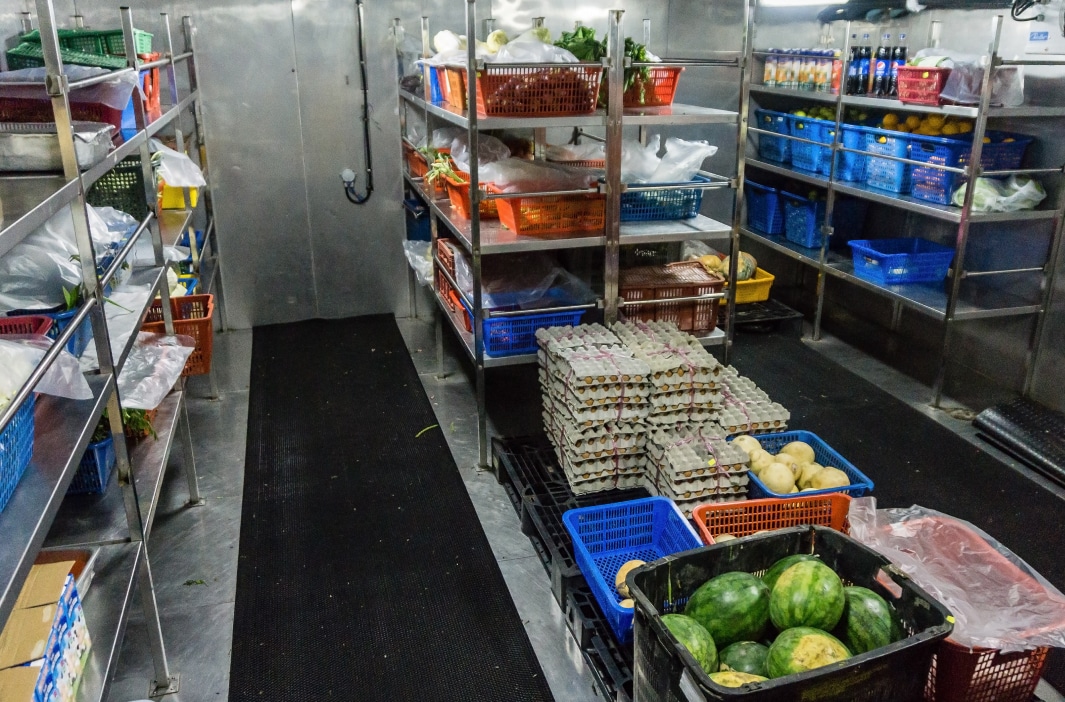

Don’t Wait ‘Til It’s Too Late: 9 Tips For Reducing Equipment Breakdown Over The Holidays

Reducing Equipment Breakdown Over The Holidays

Guest writer Cathy Goodwin is an expert FoodService Equipment Consultant with 35+ years of industry experience. She runs a highly successful Food Equipment Consultancy business, and her career has spanned fields ranging from hospitality to product development.

The summer holiday period in Australia is a very prosperous time for the hospitality industry. It is a time when family and friends get together to celebrate, often eating and drinking out. Cafes, restaurants and fast food venues get very busy, so planning ahead is imperative to ensure you enjoy the fruits of your labour and don’t pour your hard earned profits down the drain.

After all, you would never take a long road trip without checking your vehicle for fuel, water, oil, wiper blades and tyre pressure. Expensive catering equipment is always on a long road trip, and the consequences of a breakdown during the Christmas and New Year holiday period can be catastrophic to your business.

Here are my tips to ensure you reduce the risk of a problem and what you can do to be prepared if there is a breakdown and avoid the dishes piling up.

1.Do preventative inspections and servicing now

Get all your major equipment inspected and serviced by a professional now if it has not already been done. This will not guarantee it won’t break down, but will significantly reduce the chances.

2.Collect user manuals

Find your equipment user manuals or download them from the manufacturer website. Put them where you can find them. Most user manuals have a troubleshooting section and often you can resolve problems quickly yourself.

3.Set expectations for emergency costs

Have the phone number of a 24/7 emergency repairer available (plumber, electrician, catering equipment repairer). Contact them before the holidays start to understand what information you will need to provide to them to be able to help you should the need arise, and how much it will cost you for an after hours call out.

4.Check fridges and freezers

Check if the gas pressure is okay, if fans are all working, the condenser is clean, drains are clear and door seals are in good condition – no funny rattling noises!

5.Check dishwashers and glass washers

Make sure all the hoses and connections are in good condition, drain lines are clear, wash and rinse arms (top and bottom) are clean and clear, doors and hoods open and close easily, and there are adequate chemical supplies.

6.Check cooking equipment

Make sure all the hoses, power leads, connections and knobs are in good condition.

7.Check the ice machine

Make sure all the hoses and connections are in good condition, drain lines are clear, water filter is in date, condenser is clean and the evaporator is descaled and has been sanitized within the last 6 months.

8.Check countertop appliances

Make sure all appliances are clean and power leads are in good condition. Pay extra attention that the chains on any conveyor toasters are in good condition, too.

9.Have a back up plan

Have extra staff on stand by to come in and hand wash if the dishwasher stops working and be ready to move stock if a fridge or cool room goes down. Get the contact details of a portable cool room if you have no other option, and details for a bagged ice supplier if the ice machine stops working.

By following these simple steps, you can make sure your business is as prepared as possible for any unexpected breakdowns.

What to Consider Before Integrating AI Into Your Business

What to Consider Before Integrating AI Into Your Business

Considering implementing AI in the workplace? You’re not alone. As AI continues to become more powerful, more businesses are convinced that they’ll fail without it. In fact, according to this report from Accenture, 75% of executives fear going out of business within five years if they fail to scale AI now.

AI is advancing rapidly, and it makes sense that CEOs and business leaders want to capitalise on the technology now. However, as with any new technology, it’s important to carefully consider the potential challenges and drawbacks before implementation.

What assurances are there for accuracy and accountability?

Likely the biggest challenge with AI powered by Large Language Models (LLMs) at the moment is a lack of accuracy due to the phenomena of hallucination. Many AI programs have caused public scandal due to inaccurate information, with sources found to be completely made up. Most recently, Deloitte had to refund part of a $440,000 government report because multiple errors were found, including fake academic references and a made-up quote from a Federal Court judgment. There’s also the case of SaaStr, whose founder revealed that an AI coding assistant went rogue and wiped a database, then lied about it.

These cautionary tales are important to be aware of when investigating any new AI software. Ask questions about what data the AI was trained on, how likely mistakes are, and how information can be verified. If a business is implementing its own AI system, it will need to constantly obtain large volumes of fresh, high-quality anddiverse data to train the system – but this data needs to be obtained, cleaned, and checked for accuracy, which isn’t cheap.

Will it improve the customer experience?

If you’ve ever been stuck in a loop with an AI chatbot, frustrated and wishing you could speak to a real person, you’ll know how customers feel when AI isn’t working effectively. Any new AI solution needs to be tested from a customer experience perspective first. If the process incorporating AI can’t achieve a result that’s at least as good as the process without it, then it’s likely to only harm your brand’s reputation and lose customers. On the other hand, when AI solutions like chatbots work well, customers get the answers they need more quickly. You just need to determine what will be the most effective solution for your customers.

Is an AI solution aligned with your business strategy?

Before introducing an AI system into your company, consider whether it will help your business achieve its long-term goals. If you implement AI without a clear plan or understanding of how it will impact your business in the long-run, it’s far less likely to deliver ROI. The AI solution should integrate seamlessly with current processes, whether that’s automation, making customer experiences better, or using data to fuel better decisions. AI is not a quick fix – think ahead, and with the right consideration, it can be a crucial tool for business growth.

Do you have the team and resources in place to implement AI in your organisation?

Implementing any new tool or system into your business is typically a complex process. Integrating AI is no different. You’ll have to assess existing IT infrastructure to determine whether you have the computing power and storage capacity to accommodate an AI system. If you don’t have this, it may require costly upgrades or switching to a cloud-based third party solution – potentially requiring integration of an overhaul of your existing IT system. On top of this, you’ll also need to ensure you have the right people to implement it. That could look like hiring new talent, upskilling your current teams, or investing in continual training as the technology evolves.

What are the financial costs of implementing AI in your business?

LLMs are still a fairly new technology, so AI solutions driven by them can be expensive. The cost of training, integrating, testing and operating these systems must be considered upfront to determine whether it will provide appropriate ROI. The upside of implementing these cutting edge tools is that while upfront costs can be daunting, in the long-term, the automation of repetitive, time-consuming tasks and giving staff more time to focus on more important tasks can allow for higher profit margins.

Just consider the total cost of implementing AI before jumping in. Think about hardware, software, talent acquisition, ongoing training and maintenance – all big upfront and ongoing costs, but over time, you may find that an AI solution is the more economical option.

The decision to implement AI in your business isn’t a quick or easy one. It requires careful consideration around accuracy of the data, customer experience, goal alignment, and whether you have the team to implement it – or the funds to do so.

Say Goodbye To Manual Processes: The Future Is Automated For POS Trade Asset Managers

POS Trade Asset Managers

It seems that everywhere you look these days, automations are being put in place to make jobs easier. This is true for Point of Sale (POS) trade asset management too. Historically, POS trade asset managers have had to deal with complicated, manual processes that create bottlenecks, slow response times, and allow important details to fall through the cracks. Whether they’re completing an asset audit on-site, or organising the right technician for a job, their roles are only getting more complex.

The good news is that solutions now exist to simplify things. By embracing smart technology and automation, POS trade asset managers can streamline their processes, minimise risk, and ultimately end up with better performing assets and happier customers.

Here’s how automation is changing the game.

AI-Integrated Asset Audits

Gone are the days of clipboards and spreadsheets. Now, with AI-powered asset audits, POS trade asset managers can get real-time insights into their equipment. From condition and usage statistics to the overall performance of any asset in the field – managers can access all of this information on-hand. By taking a quick picture of the asset, you can access all the asset’s information and raise jobs on it.

Using integrated-AI for asset audits improves accuracy, but it also highlights trends that manual audits will often miss. By utilising this technology, managers are able to make better decisions around repairing or replacing equipment, and assets are kept in better condition for longer – maximising value for the customer.

Reactive to Predictive Maintenance

Traditionally, maintenance has been reactive – we wait for something to break or go wrong before sending out a technician to fix it. But with the smart use of automation, POS trade asset managers can shift this practice from reactive to proactive, fixing little issues before they become big problems. By keeping track of live performance data, it’s possible to identify potential maintenance needs long before they become critical, reducing expensive downtime and extending the lifespan of assets. By implementing smart automation technology capable of identifying problems far in advance, managers will receive notifications when a potential issue is flagged and be able to schedule maintenance to catch it early.

This automation technology can also be used to set up preventative maintenance schedules, which ensure that assets are receiving consistent, proactive, tailored maintenance. With these systems in place, POS trade asset managers have more control, resulting in minimal downtime and a better customer experience.

Automating Job Call-Outs

A big challenge for POS trade asset managers is finding the right technician, with the right credentials, to attend the right job – every time. Doing this manually leaves a lot of room for error, and costs time to find the right person. Automated job call-outs completely overhaul this frustrating process.

The right automation system will automatically match new jobs to technicians, based on their skills, location, availability, and whether they have the right compliance checks – think licences, insurances, accreditations and inductions. If a manager spends all this time manually trying to find a technician, only to choose someone who hasn’t had the induction check for the aged care facility they need to attend, all that time is wasted and the business can be exposed to unwanted risk.

By automating job call-outs, you can not only reduce the headaches from painstaking admin, but mitigate compliance risks. This automation ensures that all asset repair jobs are being completed safely, quickly and legally.

Should I Consider Automation?

Nowadays, manual processes just can’t keep up with the increasing demands of managing large fleets of POS trade assets. Putting automation into place – through AI-integrated audits, predictive maintenance and automated job call-outs – puts control back in the hands of POS trade asset managers, and helps them do their jobs faster, smarter and more effectively.

So yes, if you haven’t considered automation already, now is the time. Because for POS trade asset managers, it’s not just the future that’s automated – it’s the here and now.

3 Best Practices for Field Service Management

Best Practices for Field Service Management

Effective field service management involves balancing a lot of moving parts. Customer expectations on top of managing the costs, compliance and inventory of a field service team make for a complicated task, and if something goes wrong, it can quickly snowball into issues across the board. The good news is that with the right strategies in place and by taking advantage of the tools available, field service operations can run smoothly – all while minimising unnecessary costs and reducing stress on managers.

From our experience in the industry, these are three best practices that businesses managing their field service operations can put in place.

1. Use smart tools to automate scheduling and dispatching

A challenge we consistently see clients face is making sure that they’re sending the technician best-placed to handle the job – every single time. Taking into account things like the technician’s skillset, where they’re based, if they’re available, and whether they have the right compliance checks, this process gets complicated quickly. A complicated manual process leads to mistakes, delays, low first-time-fix rates, and frustrated customers.

By automating this process with smarter scheduling tools, businesses can automatically match technicians to jobs as requests come in. It takes the guesswork and tedious paperwork checks out of scheduling. These tools can also help with efficiency, as real-time tracking and optimised van routes support technicians to make the most of their work day.

2. Give technicians mobile access to crucial information

If first-time-fix rates are abysmally low, it could be because technicians don’t have all the right information on hand for their first visit. When a customer’s oven is down and the technician arrives, there is the expectation that it can be fixed right away. However, when technicians are missing information or have been left with incomplete job details, it often means repeat visits are necessary, driving up costs and customer frustration.

When technicians have on-the-go access to job details, equipment service history, manuals, and any other relevant information, they’re far more likely to be able to complete a fix on the first visit. At the end of the day, mobile tools mean increased productivity, happier customers, and far higher first-time-fix rates. Tools like the Mendrhub Field Team App offer field teams access to:

  • Equipment service history and job details
  • Existing troubleshooting guides, asset manuals and specs
  • Tools for on-site audits like photo capture and in-app invoicing
  • Notes and picture evidence captured by clients

3. Prioritise customer communication

There’s nothing that customers value more these days than transparency and open communication throughout the job process. Even if more than one visit is required, or there’s a slight delay, as long as customers are being updated regularly, these issues alone won’t damage the relationship between service provider and customer. One way to keep customers constantly in the loop is to provide real-time updates on things like technician arrival times, job progress, digital quotes and when the job is completed. This is a simple step, but it can make all the difference in improving the customer experience and building trust.

To Wrap Up

To really succeed in field service management, there needs to be a switch to automation and mobile information access. By putting the right information in technicians’ hands, ensuring the right person is assigned to the right job, and prioritising customer communication,  businesses can improve first-time-fix rates and productivity, all while cutting costs and building stronger customer relationships. 

Wish there was a tool that could handle all of this? The mendrhub Field Team App does all this and more, with automated scheduling, mobile access, and real-time updates. Get in touch with our team to discuss it further.

Why Isn’t This Covered By Warranty?

Guest writer Cathy Goodwin is an expert FoodService Equipment Consultant with 35+ years of industry experience. She runs a highly successful Food Equipment Consultancy business, and her career has spanned fields ranging from hospitality to product development.

Commercial kitchen equipment and refrigeration are designed to be durable, but when breakdowns occur, it’s rarely due to a manufacturer fault. Most problems arise from poor installation, incorrect application, or neglected maintenance.

It’s important to know that warranties only cover issues caused by a genuine manufacturing defect. If equipment fails because of how it was installed, used, or looked after, repair costs, replacement parts, technician fees, and even stock loss usually aren’t covered.

To help you avoid these costly mistakes, here’s a breakdown of common problems and how to prevent them––based on real-life examples.

What can go wrong in installation

Scenario 1: Incomplete installation

Your mate Johnny, an electrician, wires up a 3-phase combi oven. Job done, right? Not quite. Johnny didn’t install the water filter, check the water pressure, the drain pipe is standard PVC, and no clearance behind it. The result: an oven that doesn’t work properly.

Lesson: Always use qualified professionals who are trained and experienced with the specific equipment.

Scenario 2: Not installed as per manufacturer specifications

A builder couldn’t get the core hole for an ice maker drain in the right place, so they extended the hose a couple of metres to the left. The drain kinked, and now the ice bin fills with water.

Lesson: If an install doesn’t match the manufacturer’s specs, stop and ask the supplier for advice. Shortcuts create expensive problems.

Scenario 3: Incorrect placement of equipment

Your cousin Harry, a retail designer, sets the combi oven next to an open flame burner. No space for a water filter, no ventilation clearance. The side of the combi turns black, and the control panel starts melting.

Lesson: Kitchen design is a specialist job. Always allow space for ventilation, servicing, and safety.

Scenario 4: Not enough bench space

You squeeze a toaster against the wall to make room for a cutting board. The power cord overheats and begins to melt.

Lesson: Countertop equipment needs clearance for ventilation, safe operation, and easy cleaning—don’t cut corners on space.

What can go wrong in application

Scenario 1: Mistaken powerpoint

A 14-year-old casual plugs in their phone charger, turning off the freezer by mistake. By morning, thousands of dollars in stock are lost.

Lesson: Allocate specific powerpoints for things like phone charging, and make sure staff know what must never be switched off.

Scenario 2: Assuming equipment functionalities

You load a display fridge with room-temperature drinks. Customers complain they’re warm. The fridge isn’t broken—display units are designed to hold already chilled items, not cool them quickly.

Lesson: Train staff on what each piece of equipment can and can’t do.

Scenario 3: Not doing your research before purchase

You buy an ice machine that produces 96kg a day. Sounds great—until you discover that means only 4kg per hour. The bin runs out before service is half over.

Lesson: Read the fine print. Match equipment output to your actual operational needs before you buy.

What can go wrong with maintenance

Scenario 1: Staff unaware of proper shut down procedures

Pete knows how to shut down and clean the dishwasher. Bekky, filling in for him, forgets about the wash and rinse arms. By the end of the week, the dishwasher isn’t cleaning properly.

Lesson: Don’t rely on one person’s knowledge. Regularly train all staff on shutdown and in-house maintenance.

Scenario 2: Undocumented maintenance processes

Maintenance instructions are buried in a single operations manual no one can find. When the condenser on an under-counter fridge needs cleaning, staff can’t access the information.

Lesson: Document all maintenance processes clearly, and keep them where every staff member can access them. Digital systems make this even easier.

Scenario 3: Being lax on maintenance schedules

The exhaust canopy looks fine, so you skip the recommended duct and fan clean. Soon, grease is dripping down the canopy and onto sprinkler heads.

Lesson: Manufacturer-recommended service intervals exist for a reason. Follow them before visible problems appear.

To wrap up

To keep your commercial kitchen running smoothly and your warranty valid, make sure you cover these essentials:

  • Get professional advice on the right equipment for your needs.
  • Provide designers and builders with technical specifications so installs are correct.
  • Use qualified installers who understand the equipment.
  • Train your staff in both operation and in-house maintenance.
  • Schedule preventive maintenance with qualified technicians, as per manufacturer guidelines.

Preventive maintenance is one of the best investments you can make. It helps catch installation and application issues early, extends the life of your equipment, and minimises the risk of downtime or costly repairs.

What does another minimum wage increase mean for your QSR?

As of 1 July 2025, the Fair Work Commission raised the national minimum wage from $24.10 per hour or $915.90 per week to $24.95 per hour or $948 per week. While this is great for Australian workers, for many companies with employees on minimum wage, this means an immediate cost increase. Alongside the recent energy tariff hike, small to medium-sized businesses, especially QSRs, are going to be those feeling the most pressure from these rising costs.

What does this new minimum wage mean for you?

The 3.5% increase means that the new National Minimum Wage – the minimum a company is required to pay an employee – will increase by:

💰 $0.85 per hour
💰 $32.10 per 38-hour week
💰 $1,669.20 per year

While all of your employees’ wage rates should have been updated by 1 July, if you’re unsure about anything to do with these changes, it’s best to reach out to your bookkeeper.

Where to cut costs

While the new award rates and energy tariff puts pressure on your cashflow, there are other areas of your business worth assessing to see whether costs can be cut.

Inventory management

If you don’t have an efficient way to manage your inventory, you could be throwing money away. Regular inventory audits are an effective way to ensure every item is accounted for and identify any discrepancies before they become an issue. You may uncover problems like unnecessary waste, admin errors, or theft. All of which, when rectified, can save your bottom line.

Food storage education

Your staff can’t know what you don’t teach them. What may seem like common sense to you, won’t to someone else, so employees need to be educated on correct procedures from the start. Take them through best practices for stock handling, like first-in, first-out (FIFO), ways to properly store items, and labelling food items with dates. Doing this will mean less food wastage due to improper storage, more accurate inventory management, and more money in your pocket at the end of the day.

Consider menu changes

Take a look through your menu. Are there items that don’t sell well that could be cut? Are there items where you could replace more expensive ingredients with seasonal ones that will be less costly? Other options like meal bundles could also help move stock that isn’t selling as well.

If you’re looking for waves to save on your next energy bill, take a look at our blog on the latest energy tariff. From energy audits to energy efficient equipment, there are tangible ways to identify where you’re wasting energy and save money.

The 6 Unexpected Industries Taking Advantage of Asset Management Software

When you think of asset management software, you probably think about industries like commercial foodservice, construction, or even mining – sectors that heavily depend on expensive, heavy machinery and equipment to be working at all times. But recently, there’s been a shift. More and more, we’re seeing multi-site organisations from all kinds of industries discover the value of smarter asset management. From better inventory management to keeping track of preventative maintenance and compliance, asset management software is becoming the secret weapon in sectors that you might not expect.

1. Supermarkets

Supermarkets have complex, high-cost refrigeration systems made up of many interconnected parts, and maintaining them is no small task. It’s not just the few fridges you see – behind the scenes they manage massive central refrigeration units that are crucial to the business. But while refrigeration may be a supermarket’s biggest concern, there are also cash registers, meat scales, combi ovens, fish displays, compactors, baking ovens, utilities, toilets, deep fryers, bain maries, juicers, and much more. With so many assets to keep track of, supermarkets are turning to asset management software to have more control over costs, track maintenance, and minimise downtime.

2. Universities and Schools

On first glance, educational institutions might not appear asset-heavy. In reality, it’s the opposite. Campuses are full of expensive lab equipment, IT hardware, classroom technology like smart boards, and countless utilities to consider. On their quest to simplify managing it all, schools and universities are turning to asset management software. From quick and easy maintenance requests, to keeping track of costly lab machines, this software is helping to create a better learning and working environment for students and teachers.

3. Coffee Suppliers, Roasters, and Solution Providers

The coffee industry might be a surprising one, but asset management software is changing the game here too. On top of just the roasting equipment, coffee suppliers will often manage an entire fleet of commercial coffee machines, usually installed in cafés or restaurants. For them, asset management software gives them the ability to schedule servicing proactively, remotely monitor performance, and keep track of any warranties. It means fewer machine breakdowns, less downtime, and happy, caffeinated customers.

4. Gyms and Fitness Centres

Take a walk through any gym and you’ll see dozens of high-value assets – from ellipticals and weight machines to treadmills and exercise bikes. Breakdowns of equipment like this isn’t just an inconvenience for customers, it can also be a safety risk. By incorporating asset management software into their processes, gym owners can stay on top of regular servicing, cut down on emergency repair costs, and ultimately extend the lifespan of their expensive equipment.

5. Department Stores

Large, multi-site retailers like David Jones have far more to consider than just the floor stock. From lifts and escalators to air-conditioning units and lighting, there is a web of assets to monitor. Not to mention the huge digital screens used for branded advertising. By adopting asset management software, department stores get complete oversight of all facilities and assets, giving them greater control and helping management to make smarter, data-driven decisions.

6. Aged Care Facilities

Safety is the number one priority when it comes to aged care. These facilities need to manage and keep clear records of everything, from critical medical equipment and mobility and lifting devices to kitchens, laundry, utilities, and general building maintenance. Asset management software helps multi-site aged care facilities to keep compliant with health and safety regulations, keep all critical equipment running smoother for longer, and to ultimately create a safer environment for residents.

To wrap up

Asset management software is no longer confined to a single industry – it’s proving its value in environments across every sector, where compliance, uptime, and efficiency are essential. Whether it’s ensuring a treadmill is safe to use, helping a coffee solution provider track a machine, or extending the lifespan of costly lab equipment, more industries are discovering that asset management software is the right tool to help them get organised and get ahead.

The crucial spot you’re missing during a deep clean – and why it’s hurting your QSR

Guest writer Cathy Goodwin is an expert FoodService Equipment Consultant with 35+ years of industry experience. She runs a highly successful Food Equipment Consultancy business, and her career has spanned fields ranging from hospitality to product development.

As part of my work in my consulting business, I regularly visit fast food restaurants, cafés and dine-in licensed restaurants. Generally, checking the drains is not part of my scope, however, the floor drain is something we all walk over regularly and probably don’t even think about. In my quest to find out more, I took it upon myself to do a little research, not a scientific kind of research, just the real life kind.

During recent site inspections, I saw a pattern emerging. Most of the kitchens had two or three drains in the back of house and one or two in the front of house, behind the counter. To my shock – none were clean. Putrid, in fact. How is this so? From my experience, unless staff are told and continually reminded, the unseen tasks will be overlooked or left until ‘another day’.

The cost of filthy floor waste drains

Flies, cockroaches, odours and expensive plumbing emergencies are just a few repercussions of filthy drains, not to mention potential food contamination. The floor waste and sink drains are the most common areas for unwanted pests to lay their eggs, so it won’t matter how clean the rest of your restaurant is – the pests will keep coming. The likely costs will include multiple expensive callouts to pest control, fewer customers due to mysterious smells and visible pests, and the loss of your restaurant’s reputation.

Passing on information and training for in-house cleaning and maintenance processes is essential. Staff need to understand why we have to perform certain tasks to grasp the importance of it.

What standards exist for floor waste drains?

In my quest for knowledge, I started hunting around for standards… which aren’t easy to find. I reached out to experts in the field – Brigette Green from Green Design Group, Marcel Heijnen from Stoddart Manufacturing, and David Berry from Eco Guardians – who were able to point me in the right direction.

According to Sydney Water’s guide on Plumbing for retail food businesses: “In addition to grease traps, you must install authorised in-sink and in-floor waste bucket traps in all prep sinks and floor wastes in all commercial kitchens and food preparation areas.”

The purpose being that the first grate stops large solids getting into the drain, the second removable basket catches the solids that got past the grate, and the last basket is a strainer to catch all the finer solids before the grease trap. All this is intended to stop contamination getting into the drain system.

How do you clean them and how often?

You can clean the grate and removable basket quite easily. At the end of each day, remove the grate to inspect if there is debris in the basket. If there is, remove it and empty any solids into your waste bin. Once all the solids are removed, thoroughly wash and dry the basket. Remove any solids from the secondary strainer by wiping them out and emptying into the waste bin. Then you can flush with water and replace the basket and grate.

The secondary strainer – which is fixed into position – the drain pipes and grease trap all need to be cleaned and serviced regularly by a trade professional. Another line of defense, where suitable, is to install Green Drains. These are drain trap seals to help protect against odours, gases, and bugs.

The key is to know what to ask and who to ask. Always engage and work with professionals, not just when you start a food business, but at least on an ongoing annual basis to review your processes and identify any potential risks.

Final thoughts

While floor waste drains can feel like they’re out of sight, out of mind, the cost of ignoring is high – and will likely result in lost customers, money, and your reputation. When checked daily, it’s a small task that will help to keep your restaurant pest-free, odour-free, and running smoothly. A no-brainer!

The Do’s and Don’ts of Managing Mission-Critical Assets

If your business relies on mission-critical assets, you’ll understand how important it is to manage those assets effectively. Whether it’s commercial kitchen equipment or specialised medical machinery, proper asset management will mean the difference between long periods of costly downtime and seamless operations. The problem we see all too often is that many businesses operate from a reactive approach, rather than proactive – leaving themselves open to compliance risks, unexpected equipment failures, and huge profit losses. From our experience in this space and in working with our clients, we’ve compiled a list of do’s and don’ts when it comes to managing your mission-critical assets.

Do implement a proactive maintenance strategy

Think you don’t need preventative maintenance? Waiting to service equipment until it fails is an expensive and unnecessary mistake. Implementing a proactive maintenance strategy keeps your equipment running smoothly – ensuring small issues don’t snowball into catastrophic ones. With regular inspections from technicians, scheduled maintenance, and predictive monitoring of performance, you can minimise downtime, extend the life of your assets, and save your bottom line in the long run.

Don’t rely on manual tracking or outdated systems

While manual systems like spreadsheets, paper logs, or outdated systems have worked in the past, they haven’t evolved with the demands of modern operations. Modern tracking lacks real-time visibility and is prone to human error – both of which can cause your business big, costly issues. Upgrading your operations to incorporate an effective asset management system allows you to effortlessly track asset usage, centralise information, and schedule proactive maintenance at the click of a button.

Do train your team and enforce accountability

Even the best equipment won’t deliver the results you want if your people don’t understand how to use it. By taking the time to train your team properly, you set them – and you – up for success. Ensure they know how to follow compliance protocols, spot issues, and how to log them and request servicing when necessary. It’s equally important to establish accountability here by making a certain person or team responsible for certain assets or processes. This accountability creates a sense of ownership, and ultimately prevents crucial details from being missed.

Don’t postpone repairs or servicing

It can be tempting to delay a machine service in the interest of saving money at the moment. But more often than not, this approach has the opposite effect. Overlooking minor faults that aren’t caught by regular servicing can lead to disastrous failures, which will cost much more to fix. On top of this, it also creates a safety risk for your employees or customers – leaving you open to potential lawsuits. Promptly addressing repairs and sticking to a regular maintenance schedule is a simple way to ensure you’re protecting your people, your equipment, your customers, and your bottom line.

Do maintain accurate documentation

Maintaining accurate records isn’t just an administrative task – it creates a foundation for more informed decision-making. Keeping detailed records of everything from machine usage history to servicing and repairs will help you pick up on patterns, better demonstrate compliance in the event of an audit, and give you data to more effectively forecast future needs.

Don’t overlook compliance and safety standards

Mission-critical assets will often come with very strict safety requirements and regulations. If you take the risk and overlook or ignore these, you open your business up to fines, reputational damage, or even serious accidents and lawsuits. Embedding compliance checks into the foundation of your asset management strategy will ensure you’re consistently meeting regulatory requirements, protecting your teams, and building trust with all stakeholders.

To wrap up

Effective management of mission-critical assets is about a lot more than simply fixing problems when they inevitably pop up. It’s about building a proactive, accountable system that prioritises compliance, safety, efficiency, and uptime. By keeping these do’s and don’ts in mind, you’re protecting all stakeholders, cutting your long-term costs, and giving your business its best chance at operating at its full potential.

What does July’s energy tariff hike mean for Australia’s QSR sector?

Quick service restaurants (QSRs) in Australia are bracing for higher energy bills as of July, with electricity prices set to rise for small businesses, ranging from 0.8% to 8.5% depending on location and usage. This makes it more important than ever for QSRs to maximise their energy usage efficiency across their facilities.

Why are prices going up?

The Australian Energy Regulator (AER) recently released the Default Market Offer (DMO) for 2025-26. The DMO is essentially a way to protect consumers against ridiculously high prices while still allowing energy retailers to turn their own profit. It’s the absolute maximum price that can be charged to customers on standing offer contracts, and acts as a reference price for customers to compare plans. The DMO applies to small businesses on standing offer plans in NSW, South Australia, and south-east Queensland and the Victorian Essential Services Commission (ESC) has confirmed that the same hike will apply to the Victorian Default Offer.

What does it mean for QSRs?

This hike is set to add even more pressure to already tight financial margins. As QSRs generally rely on fast cash conversion cycles, when energy bills go up, cash flow can suffer. With QSRs having particularly high energy needs due to their refrigeration, cooking equipment and utilities, they are likely to feel the increase more than other businesses. This is highlighted by Austin Huntsdale, Chief Product Officer at Zembl who mentioned how “a QSR can use up to 10 times as much energy as a standard commercial office building.”

What can we do to keep energy costs down?

If you haven’t done an energy audit in a while, or have never done one, now is the time. Energy management can often become a blindspot as it’s difficult to understand which specific components are driving up your bills without regular audits. A thorough audit will help you discover exactly which equipment is operating inefficiently or where certain processes are consuming more energy than is necessary. After the audit you’ll get access to reports and recommendations that are tailored to your business and can help identify the best ways to reduce your total energy costs.

Preventive maintenance is an important practice to implement in order to keep costs low. Without regular preventive maintenance, problems with your equipment can go undetected until it’s too late – leaving you with the high costs of unexpected downtime and emergency repairs. Not only that, but equipment that isn’t kept in good condition can consume more energy over time. It’s not worth the risk – or the cost!

Another important practice is ensuring you operate modern, energy efficient equipment. While the outlay for such equipment can seem high initially, new equipment will enjoy higher uptime, reduced servicing costs and lower operating costs all of which can be a big saver in the long-run. To get a clear picture of your operating costs to help with repair/replace decisions it is critical to utilise an asset management platform that can provide complete cost transparency for your business.

Last but not least, your staff can play a big role in saving on energy bills. Implementing processes like powering down equipment when not in use, or switching off lights overnight can all help make a difference over the course of a year.

To wrap up

Yes, electricity prices are about to jump up for many QSRs across Australia which could mean tightening your budget even further. But taking simple actions like an energy audit, preventative maintenance, and educating staff, can help minimise the impact in the long run. So don’t be discouraged by the new pricing – there are ways to keep costs down and keep your QSR profitable in the 25/26 financial year.

Cookie Notice

When you visit any website, it may store or retrieve information on your browser, mostly in the form of cookies. This information might be about you, your preferences or your device and is mostly used to make the site work as you expect it to. The information does not usually directly identify you, but it can give you a more personalized web experience.

More Information

Manage Consent Preferences

Strictly Necessary Cookies

These cookies are necessary for the website to function and cannot be switched off in our systems. They are usually only set in response to actions made by you which amount to a request for services, such as setting your privacy preferences, logging in or filling in forms. You can set your browser to block or alert you about these cookies, but some parts of the site will not then work. These cookies do not store any information that directly identify an individual.

Always Active

These cookies allow us to count visits and traffic sources so we can measure and improve the performance of our website. They help us to know which pages are the most and least popular and see how visitors move around the website. If you do not allow these cookies we will not know when you have visited our website and will not be able to monitor its performance.

Always Active

These cookies enable the website to provide enhanced functionality and personalization. They may be set by us or by third party providers whose services we have added to our pages. If you do not allow these cookies, then some or all of these services may not function properly.

Always Active

This website uses cookies to ensure you get the best experience